You picked a category when you set up your Google Business Profile, maybe in five minutes years ago, and now you suspect it is the reason your phone stays quiet when people search for the work you actually want. The category decides which searches Google considers you for, so a wrong one can cost you calls every day. Changing it is usually the right move, but it can trigger a re-verification and it shifts your visibility toward some searches and away from others, so do it on purpose and measure it.
The Short Answer
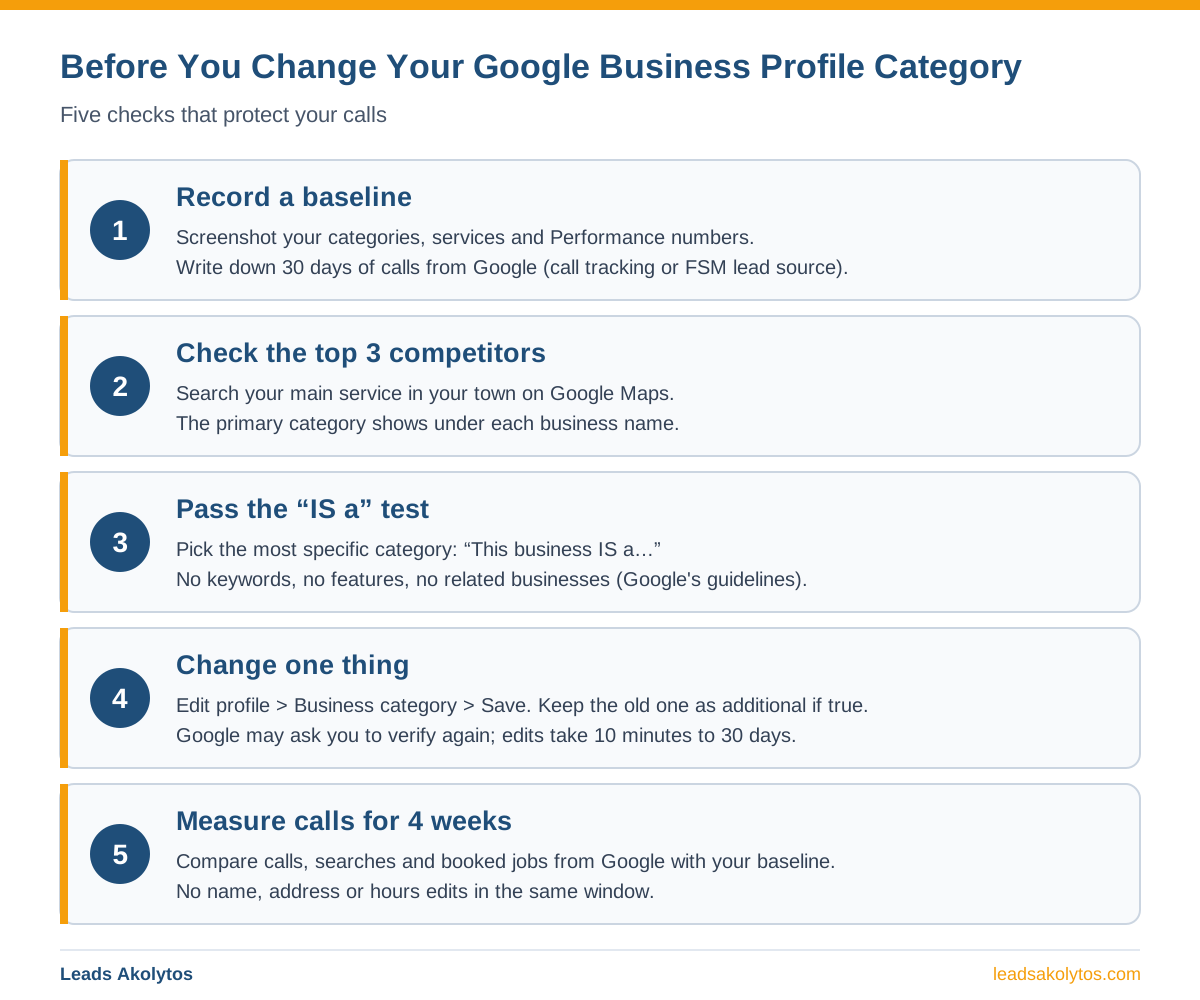
Change your primary category if it does not name the work that pays your bills. Google tells businesses to pick the most specific category that describes the business as a whole, and local search experts rank the primary category as the single strongest map-pack factor (Whitespark's 2026 Local Search Ranking Factors survey). The risk is manageable: Google says an added or edited category might prompt a request to verify your business again, and edits can take from 10 minutes to 30 days to go live. Expect your visibility to move toward the new category's searches and away from the old ones. Record a baseline first, change one thing at a time, keep the old category as an additional one if it is still true, and judge the result on calls after four weeks, not on day two.
What Your Category Does for Your Calls
Your primary category is the first filter Google applies when it decides whether your profile matches a search. Google's own ranking page says local results depend on relevance, distance and prominence, and that relevance is "how well a Business Profile matches what someone is searching for." What kind of business you are is the first piece of that match.
In Whitespark's 2026 Local Search Ranking Factors report (published November 6, 2025, a survey of 47 local search experts), "Primary GBP Category" ranked first among map-pack factors, just ahead of the searcher's distance to the business. That is expert opinion, not Google's word, and it follows from how matching works: a plumber filed under a broad category gives Google a weaker match for "plumber near me" than one filed as a plumber.
The rules are short. A profile has one primary category, and Google lets you add up to 9 more. The category in the first field is the primary. You cannot invent your own; you choose from Google's list.
Signs Your Category Is Costing You Jobs
The clearest sign is a mismatch between your primary category and the job you most want the phone to ring for. Look for these:
- You do mostly AC and furnace work, but the primary category is a broad one such as a general contractor or home improvement category.
- Your best-paying work (drain and sewer, roof replacement, panel upgrades) only appears as a secondary category or a service, not the primary.
- Competitors with fewer reviews show up in the map pack for your main service, and their primary category differs from yours.
- The Performance tab shows your profile found mostly for your business name, rarely for the service itself.
- Google changed your category without you. Changes made by Google show in blue text in the profile editor.
If none of these fit and calls are steady, leave the category alone. Changing a correct category for its own sake only adds risk.
How to Pick the Right Primary Category
The right primary category is the most specific one that completes the sentence "This business IS a…" for the work that drives your revenue. That test comes straight from Google's guidelines, which contrast "IS a" with "HAS a": a motel with a pool is a motel, not a swimming pool.
Google's guidelines add three rules that matter for contractors:
- Use as few categories as possible, and as specific as possible.
- Do not use categories as keywords or to describe features of the business.
- Do not use categories that belong to nearby or related businesses.
Then check the market. Search your main service in your town on Google Maps and open the top three profiles. The primary category shows under each business name. If all three use a category that is truer to your business than yours, that is your answer. Additional categories are not shown on the listing; paid rank trackers such as Whitespark's Local Rank Tracker report them.
What This Looks Like by Trade
Each trade has its own trap, usually a broad category hiding a specific, higher-paying service.
HVAC
Whitespark's category guide (January 2026) suggests some HVAC companies switch their primary between "Air conditioning contractor" in summer and "Heating contractor" in winter to match what people search that season. Treat that as an option to test, not a rule: each switch is an edit Google reviews, and any edit to a category can bring a re-verification request. BrightLocal's 2023 category study found HVAC contractors with zero additional categories had the worst average map ranking (8.0), so add the true secondary ones.
Plumbing
A plumbing shop is a plumber first. Keep the trade as the primary and add the specialties you actually run, such as drain or water heater work, as additional categories or services. Do not put a sister business, like an HVAC side, in as a plumber's category unless the same company truly does that work; Google's guidelines say two unrelated businesses need two profiles.
Electrical
More categories did not help electricians in BrightLocal's study: the best-ranked electricians averaged 0.5 additional categories, and those with five or more had the lowest average (7.9). If you are an electrician, pick the trade as the primary and stop there unless a second category is clearly true.
Roofing, remodeling and the other trades
Roofers, remodelers, painters, landscapers and cleaners face the same choice: the specific trade, not a catch-all home services label. If you do two unrelated kinds of work, the primary goes to the one that pays the bills; the other becomes an additional category only if it describes what the business is.
What Happens When You Change It
Three things happen, and you can plan for all of them.
- Google reviews the edit. Google says edits usually take up to 10 minutes to review but can take up to 30 days. The status shows as Accepted, Pending or Not approved.
- You might have to verify again. Google's category help page says adding or editing a category might prompt a request to verify your business again. Do not make the change the week before your busy season, and keep proof of the business at hand.
- Visibility moves. Sterling Sky (December 2025) describes a law firm that switched its primary category: visibility rose for searches matching the new category and fell for the old one's. Expect the same trade-off. Keeping the old category as an additional one, if it is still true, softens the drop.
Also check your services list after the change. Google suggests services based on your business type, so a new primary category can open better suggestions to add.
How to Change It, Step by Step
The change itself takes two minutes. The prep around it is what keeps it safe.
- Screenshot the current categories, services and Performance numbers.
- Write down calls from Google for the last 30 days, from call tracking or your FSM software's lead source report.
- Open your profile and select Edit profile.
- Next to Business category, select Edit.
- Type the new primary category and choose it from the list.
- Add or remove additional categories with Add another category or the Remove icon.
- Select Save, then check the edit status the next day.
- Change nothing else for four weeks: no name, address or hours edits in the same window.
What to Do If Google Changed It for You
Google can change your profile on its own, and it tells you. When a suggested edit needs your review, Google sends an email or an in-product notification, and you have 4 days to accept or reject it. If you do not respond, Google may publish the update when other public information supports it, such as your website. Google's guidelines also say it can detect categories from your website and from mentions of your business around the web.
- Open the profile editor and look for blue text.
- Reject a wrong category change inside the 4 days.
- Make sure your homepage and service pages describe the same business your category does.
How to Tell If the Change Worked
Judge the change on booked jobs from Google, not on one search you ran from your truck. Searches you run yourself are personalized and come from one spot. Give it four weeks, then compare against your baseline:
- Calls and direction requests in the Performance tab.
- The searches listed in Performance that found your profile.
- Booked jobs tagged to Google in your FSM software.
- Map rankings from several points around your service area, if you use a rank-grid tool.
If calls for your main service went up and the work you lost was work you did not want, keep it. If calls dropped across the board, switch back and give it time; you have lost a few weeks, not the profile. For how long map-pack changes usually take, see how long local SEO and the map pack take.
Frequently Asked Questions
Will changing my Google Business Profile category hurt my rankings?
It can lower your visibility for searches tied to the old category while it raises it for the new one. Keep the old category as an additional one if it is still true, and measure calls for four weeks before deciding.
Does changing the category require re-verification?
Sometimes. Google's help page says adding or editing a category might prompt a request to verify your business again. Have your business documents ready and avoid making the change right before your busy season.
How many categories should a contractor use?
One primary plus only the additional ones that are true. Google allows up to 9 more but asks for as few as possible. BrightLocal's 2023 study found more categories helped HVAC contractors and did nothing for electricians.
How long does a category change take to show?
Google says edits usually take up to 10 minutes to review and sometimes up to 30 days. Ranking changes after the edit goes live take longer to settle, so judge it on four weeks of calls.
Can I switch categories by season?
You can. Whitespark suggests HVAC companies switch between air conditioning and heating categories by season. Each switch is an edit Google reviews and may bring a re-verification request, so test it once and measure before making it a habit.
Can I add keywords to my business name instead?
No. Google's guidelines forbid keywords in the business name, and breaking the guidelines can get a profile suspended. See what to do if your Business Profile is suspended.
Want a Second Opinion?
Everything above can be done on your own in an afternoon, and our Business Profile checklist and the guide to why a competitor outranks you cover the rest of the profile. If you would rather look at your categories and your competitors' with someone, Leads Akolytos offers a free 30-minute strategy call. We work only with home service contractors across 14 trades, with no setup fees and no long-term contracts. See our local SEO and map pack page, the HVAC, plumbing and electrical pages, or book a time here.
Want this handled for you?
We do this work for home service contractors every day, month-to-month, with no contracts. Book a free 30-minute call and we'll show you where you stand on Google.
Book my free call